Features · Run the night
Run the night.
Press start, then get some sleep. Alerts and control from your phone.
Run the night
Press start, then get some sleep.
Nebulink waits for darkness, works through the plan, pauses for clouds, stops at dawn and parks the scope.
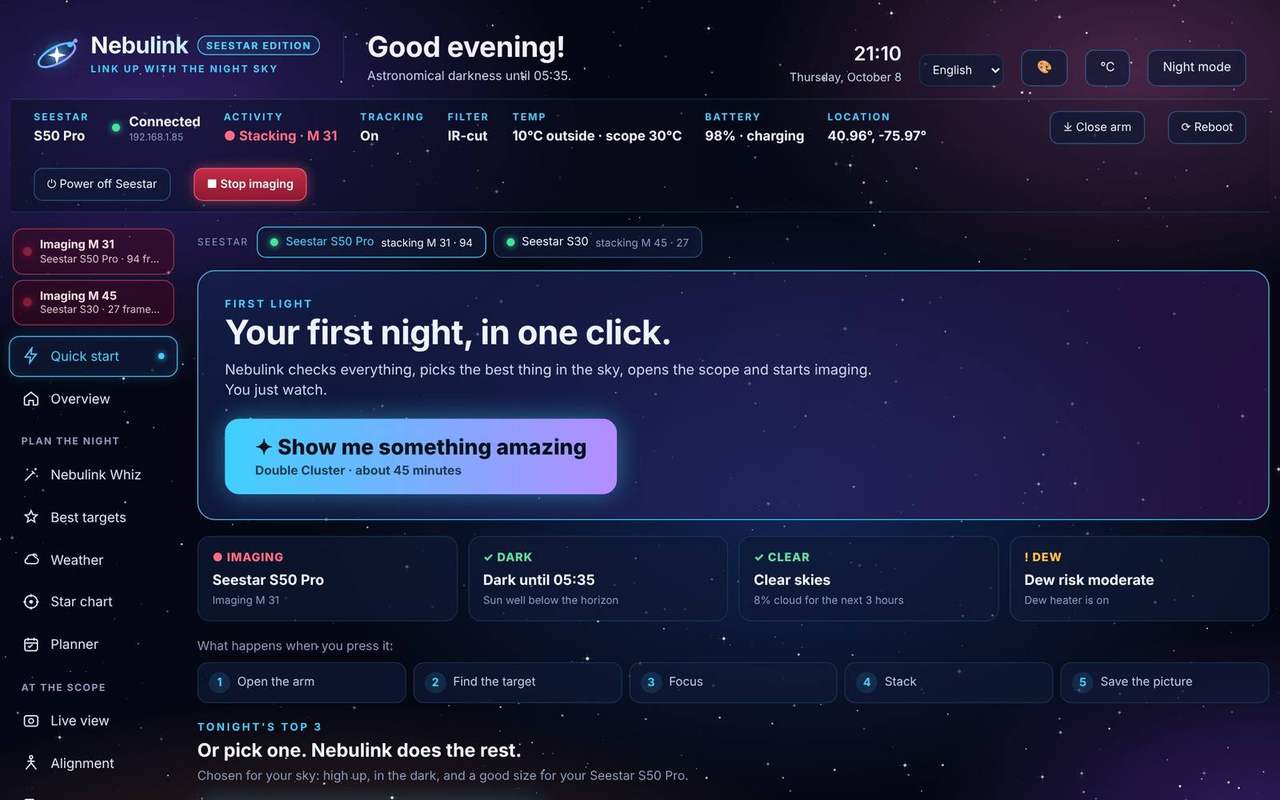
Your first night, in one click
New to your Seestar? Quick start opens the first time you run Nebulink. Four tiles check the scope, darkness, cloud and dew. Then press Show me something amazing, or pick one of tonight's top 3 targets, and Nebulink does the rest.
- Opens the arm, finds the target, focuses, stacks and parks when done
- Waits for darkness and for the target to climb, if it needs to
- Turns the dew heater on when dew is likely
- Each step lights up as it goes, with a countdown and Stop
A night that ends the way you want
When the last target is done, Nebulink parks the scope or powers it down, so there's nothing left to do in the morning but collect the pictures. Weather can't catch it out either: it waits out clouds, and Storm guard folds the arm away when a storm comes.
- Park the scope, power it down, or leave it as it is; Nebulink Whiz can turn the scope off after its last target too
- A scope in EQ mode goes to its EQ home position and stays in EQ mode
- Storm guard watches the official warnings and the rain radar, stops the stack, closes the arm and tells your phone, then carries on once the storm has passed (in the US and Germany)
- A battery check before you start says whether the Seestar will last the plan, from that scope's own measured use
- Add the night to your calendar with a reminder at set-up time
Darks for cleaner pictures
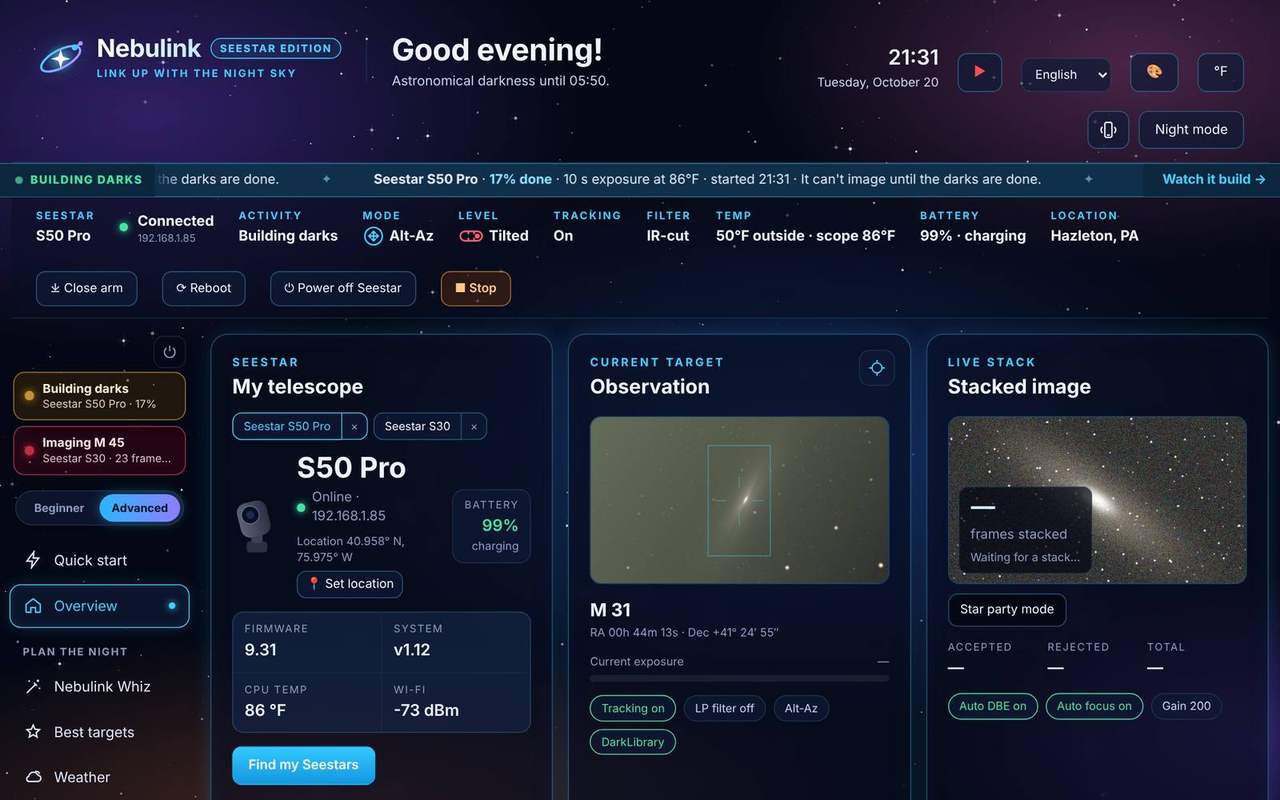
The Seestar subtracts a dark frame from every picture it stacks. Nebulink builds the Seestar's own master darks from your PC, shows which exposures and temperatures are covered, and can build them when a plan finishes.
- A grid of exposures and temperatures shows what's covered and what tonight needs
- Build darks now, or tick Build darks when a plan finishes, before the scope parks
- A blue banner shows on every page while darks build, because the scope can't image until they're done
- Copy the master darks to your PC
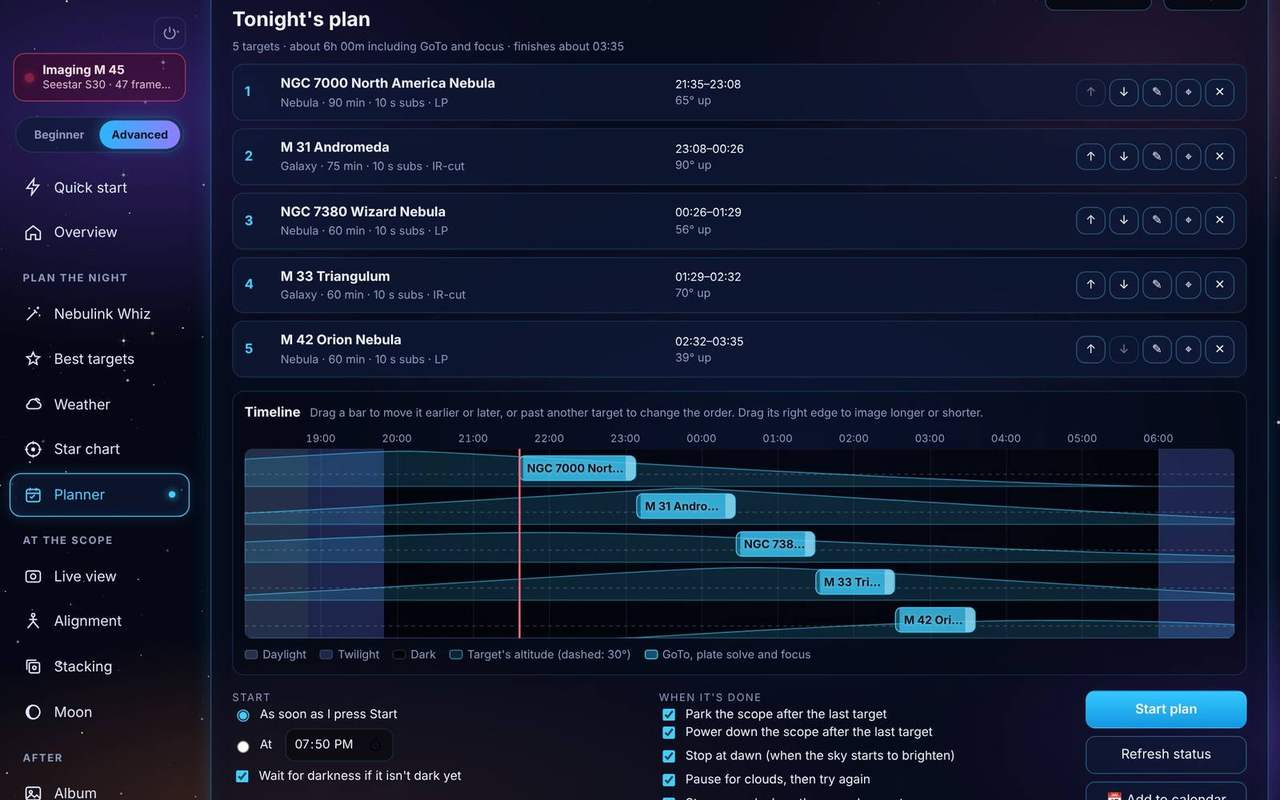
One clear night, five targets, no alarm clock.
You pick from tonight's best targets in the evening, or let Nebulink Whiz pick them for you. Nebulink waits for full darkness, then works through the list: GoTo, plate solve, focus, stack, next. It skips anything too low, stops at dawn, and parks the scope before you're up. If the PC restarts in the night, Nebulink picks the plan up where it left off.
On your phone
Keep an eye on it from anywhere in the house.
Alerts when something needs you, and Nebulink itself on your phone.
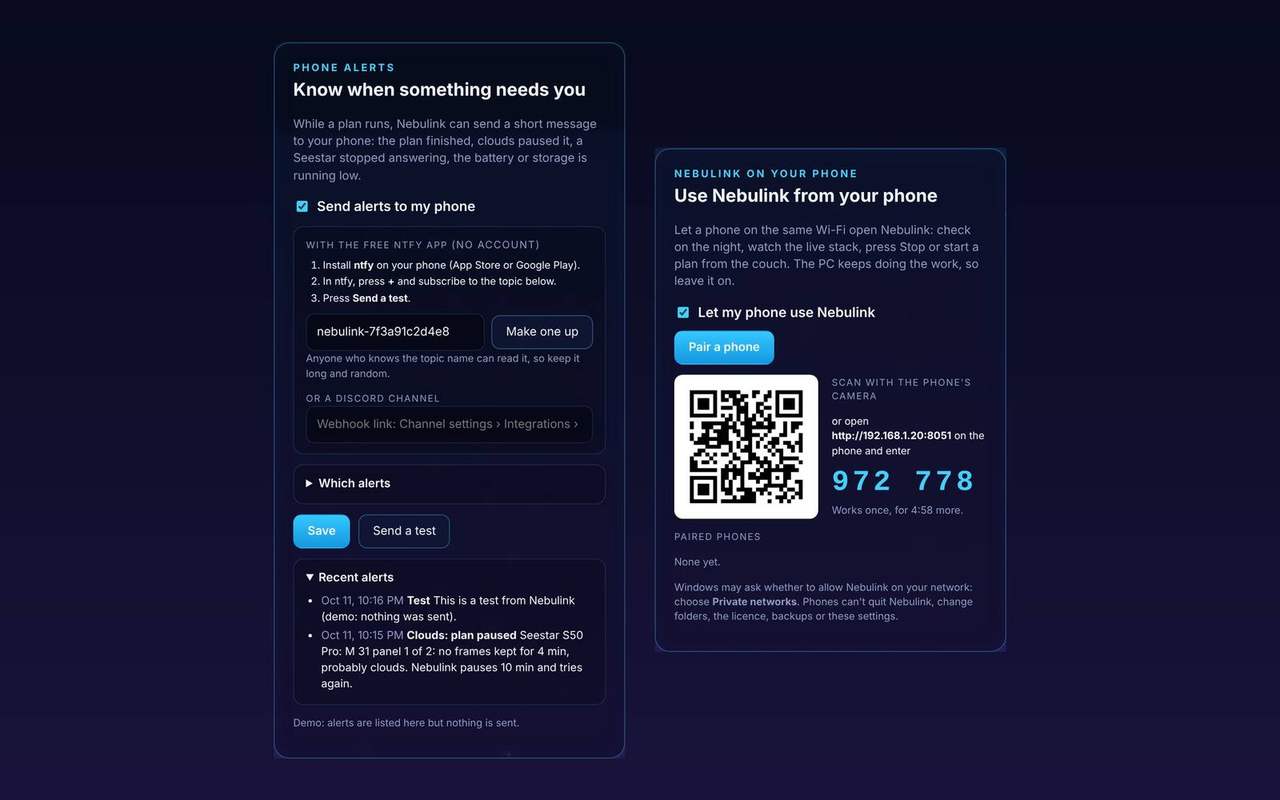
Your phone knows when something needs you
Phone alerts send a short message when the plan finishes, clouds pause it, a target is skipped, or a Seestar stops answering, runs low on battery or fills its storage. They're free, through the ntfy app or a Discord channel.
Nebulink on your phone: pair a phone on the same Wi-Fi with a QR code, then check the night, watch the live stack, or press Stop from the garden or the couch.
- Choose which alerts you get; the same one is sent at most every 30 minutes
- A one-time pairing code, and you can remove a phone at any time
- Quitting, folders, the license and backups stay on the PC