
Features · Make it yours
Make it yours.
Your look, your language, your night vision, and the small things that add up.
Make it yours
Your look, your language, your night vision.
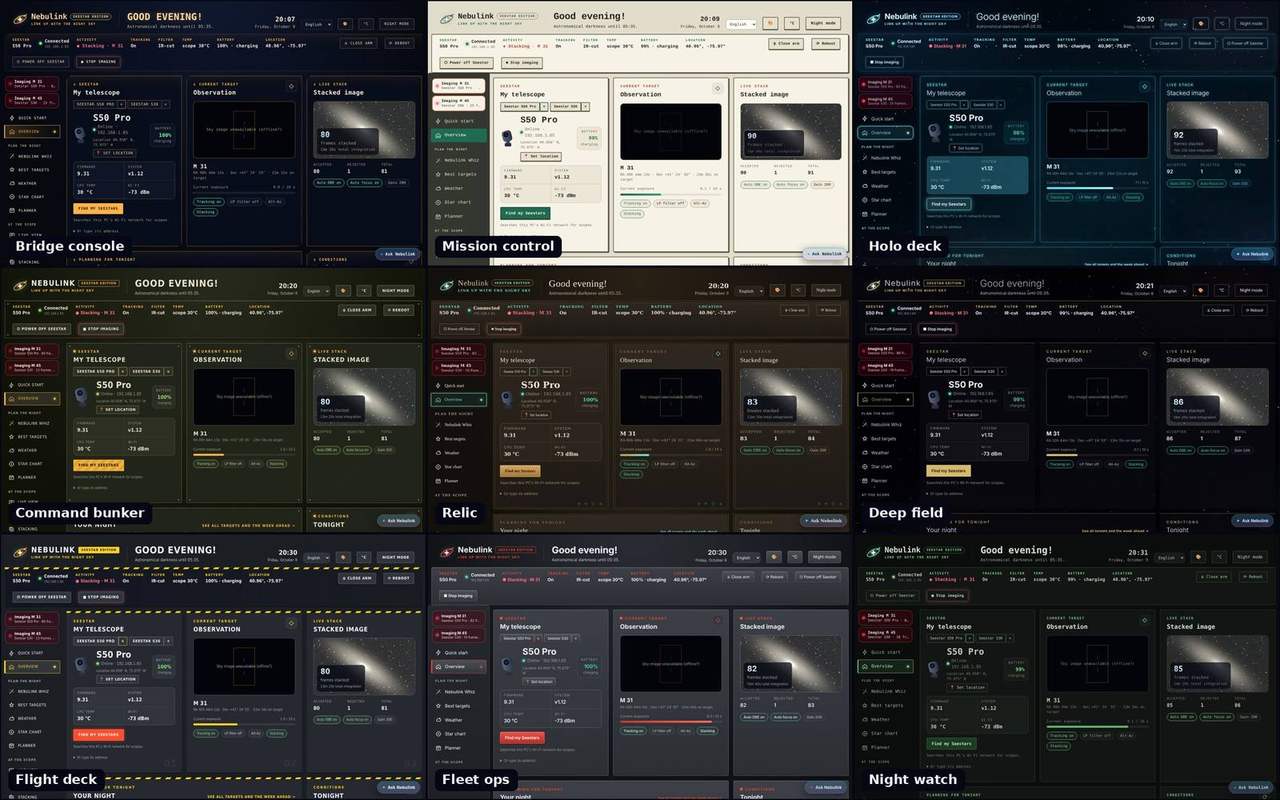
Ten looks to choose from
Press 🎨 and pick a theme for the whole app, from a navy-and-amber ship's console to daylight-friendly graph paper or a quiet star field. Night mode still turns everything red when you need your night vision.
- Nebulink, Bridge console, Mission control, Holo deck and Command bunker
- Relic, Deep field, Flight deck, Fleet ops and Night watch
- Switch any time; your choice is remembered
In your language
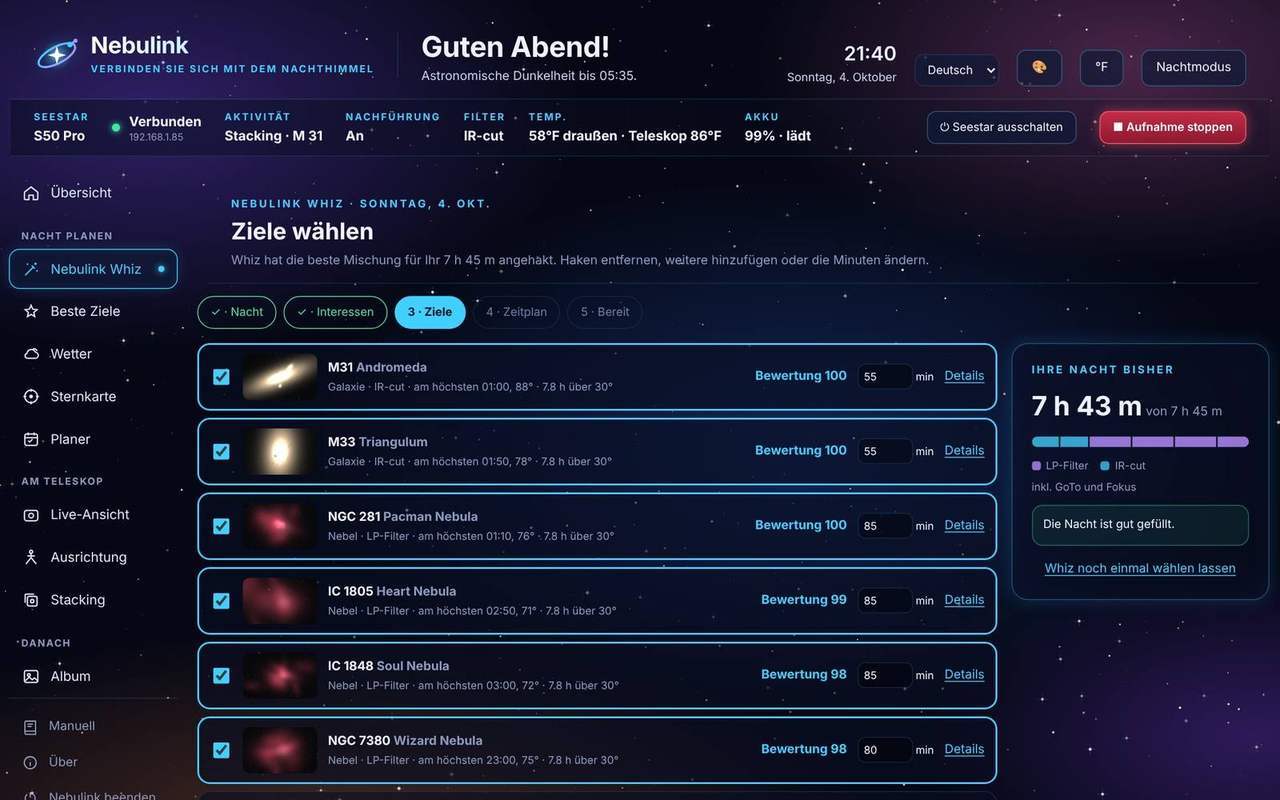
Nebulink speaks English, Deutsch, Français, Español and 中文. Pick yours from the list at the top of any page and everything switches: pages, buttons, messages from the scope, even the dates.
- Starts in your PC's language and remembers your choice
- °F or °C with one click
- Pick a background, or use one of your own photos
Red when it's dark
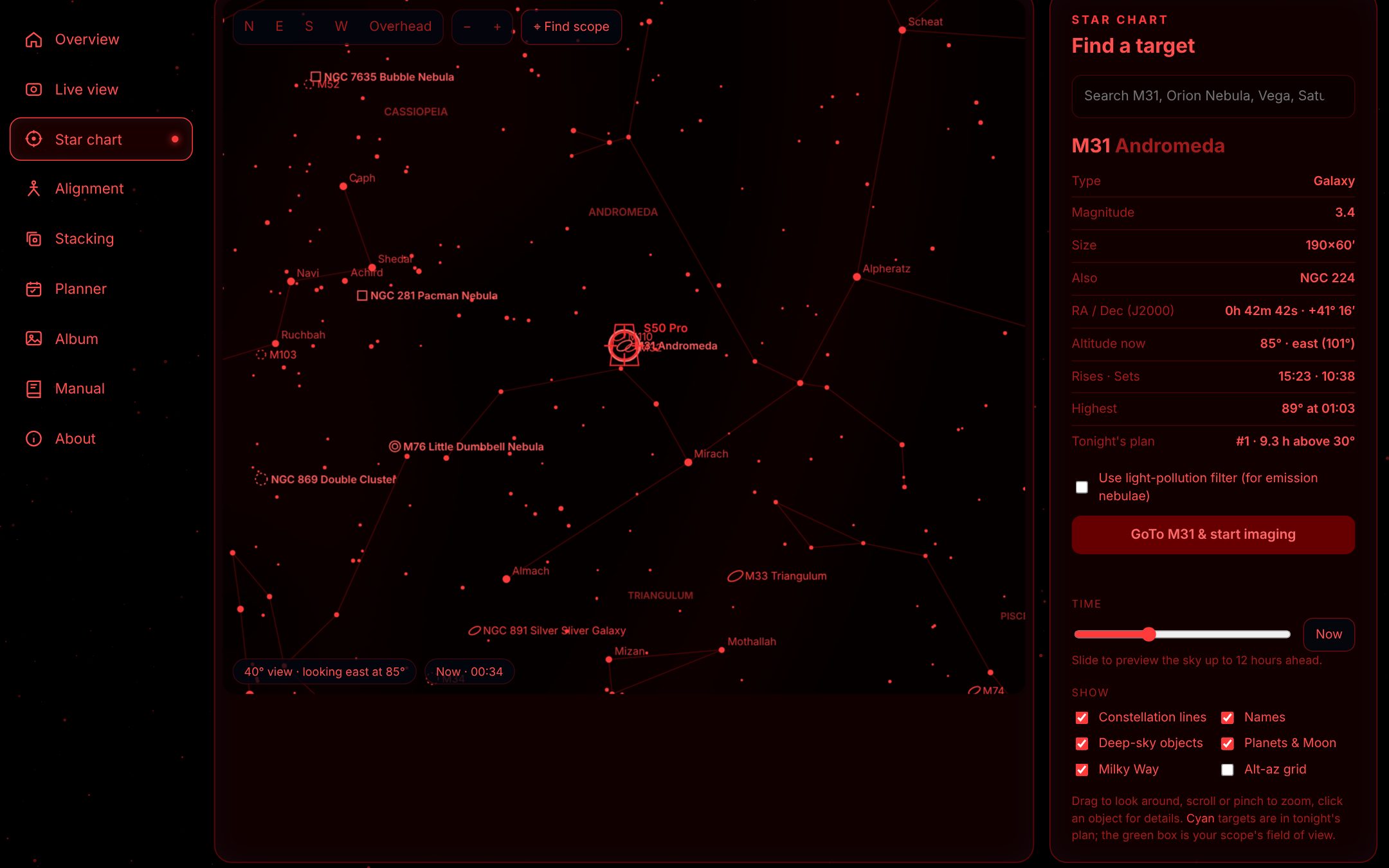
One click turns the whole app deep red, so a glance at your laptop at the eyepiece doesn't cost you your night vision.
- The pictures turn red too: Live view, the live stack, the Moon, the weather map and the video thumbnails
- No white or blue left on the buttons, tabs and status bar
And more.
Finds your Seestars
No IP addresses to look up. Nebulink searches your Wi-Fi, lists every Seestar it finds, and connects to them again next time.
Level the tripod
A live level dial from the scope's tilt sensor, plus the numbers for setting up equatorial mode.
Polar alignment
On a wedge in EQ mode, measure how far off the pole you are, then turn the knobs while Nebulink re-measures and shows the error shrinking, with live video from the scope. Next measurement waits until you've let go of the wedge, and Measure here takes a reading without moving the arm.
Live view and focus
Turn on the camera for live video without starting a target, move the scope with a joystick or your arrow keys, autofocus, and record video.
Your album
Browse the scope's files from your PC, preview JPEG and FITS images, download originals, and enhance them. Pictures you've opened show instantly next time.
More than one scope
Run an S50 Pro and an S30 Pro side by side and switch between them from the top of any page, Alignment included. Each scope has its own connection, so a slow one never holds up the other, and each runs its own plan.
Stop imaging from any page
One red button ends the stack and the plan together, and can fold the arm away once the stack is saved. The frames you've taken are kept, and unfinished targets wait in the plan.
Send log to support
Something odd last night? Press one button on the About page and your log and a short note reach us, with passwords and keys removed. No files to find or attach.
Dew heater in the plan
Nebulink Whiz's checklist turns the dew heater on and sets its power before the night starts, and warns you when dew risk is high.
Arm, reboot and dew heater
Open or close the arm, reboot a scope that's playing up (it parks itself first), and switch the dew heater on with the power you want, all from your PC.
Picks up where it left off
Closed Nebulink or restarted the PC mid-plan? When Nebulink starts again it carries on with the target it was on.
Set the scope's location
At a dark site without your phone? Set the Seestar's location from your PC: a saved place, a town, or this PC's location.
Plan before you connect
Build tonight's plan on a laptop indoors. When you add your Seestar, the plan moves to it by itself.
Find a place without internet
Search for a town, region or country from a list of places kept on your PC, and Nebulink names the nearest town to a dark site. No internet needed.
The star chart follows the slew
While the Seestar moves, the star chart redraws, so its field of view travels across the sky with the scope.
Clearer stacking messages
Nebulink says when the mount is still on its way to the target, shows autofocus in Live view, and tells clouds rejecting frames apart from no frames arriving at all.
Every target in the middle
The Seestar plate-solves after a GoTo but can start stacking with the target well off-center. Nebulink reads where the picture's center really is from the scope's own solve and, if it's more than about 2′ off, aims again, up to twice. It covers plans, mosaic panels and GoTos from the star chart.
Mode and Level at a glance
The status bar shows whether the Seestar is in Alt-Az or EQ mode, and whether it's level: green, amber or red. In EQ mode it checks the wedge's tilt against your latitude. Click either to open Alignment.
Beginner or Advanced
A switch under the scope boxes shows just the essential pages, or every page. Start with Beginner and switch when you want more.
Tonight's sky sheet
One picture of the night for your club or a group chat: the best targets, the planets and the Moon, comets, darkness times and what's coming up. Save it, copy it or print it.
Sky events
Meteor showers, the Moon passing planets, planets close together, new and full moons and bright comets for the next six weeks, worked out for your place, with a tag on the ones that make a good Seestar picture.
Focus and dew watch
While the Seestar stacks, Nebulink measures how sharp the stars are and warns you when they get soft, so you can refocus or turn on the dew heater.
Plan in the morning, for tonight
A plan made before noon shows on the timeline over the coming night, starting when it gets dark, not over the night that has just ended.
Plan for a scope that's switched off
Nebulink remembers each Seestar's model, field of view and mount mode, so a scope that's off or out of reach still gets targets and framing that suit it.
The sky map follows the plan
While a plan runs, the Planner's sky map shows the target being imaged with its planned framing, and moves on when the next target starts.
Pair a phone from any page
A phone icon in the header opens the pairing QR code and the 6-digit code, so you don't have to go to Settings.
One Nebulink at a time
Start Nebulink while it's already running and it opens the page that's already running, instead of a second copy that also talks to your Seestar.
Safer on a shared Wi-Fi
Nebulink takes only numbers where a Seestar reports numbers, phone access works on your home network only, and backups and picture copies are checked before they're used. A device pretending to be a Seestar at a star party can't slip anything into your pages.
Join the community
A link on the About page opens the Nebulink Discord server, where owners show their pictures, swap tips and say what Nebulink should do next.
Wi-Fi meter
Signal bars for each Seestar's Wi-Fi in the status bar and the scope list, and a graph of the last hour on the Overview, so you can tell a weak link from a scope that's playing up.
GMT in the status bar
The status bar shows the time in GMT (UTC), the time astronomers log observations in. After midnight GMT, the GMT day shows in front of it.
More page, less header
The header keeps to one row and the scope's buttons sit beside the status, so every page starts higher. On a phone the status folds to one line; tap it for the rest.
Safe by default
No GoTo to the Sun or below 15°, a confirmation before anything interrupts a stack, and a Stop button on every page.