
Features · Plan the night
Plan the night.
Build a whole night in five steps, with weather and the sky for the night ahead.
Plan the night
Know what to shoot, and when.
Targets ranked for your sky, a forecast built for imaging, a real star chart and framing on survey photos.
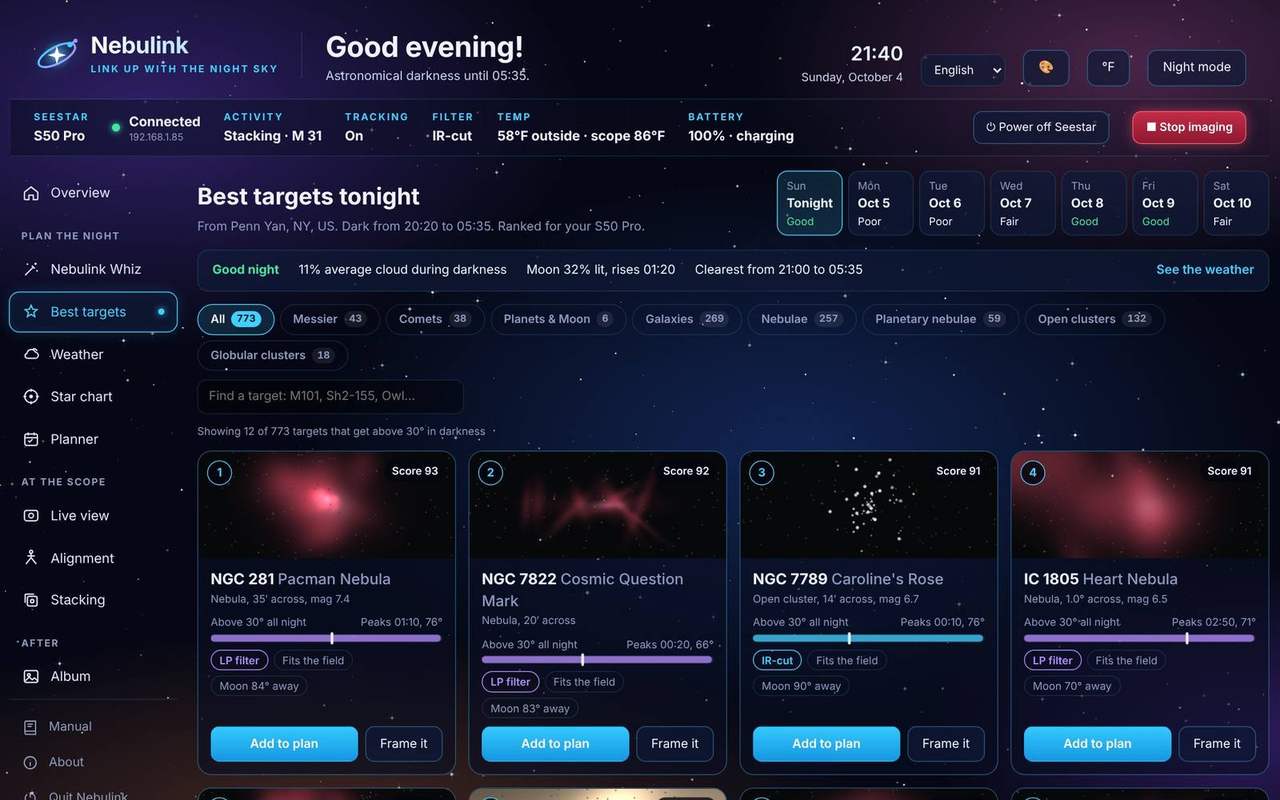
Know what's worth shooting tonight
Nebulink ranks about 1,600 deep-sky targets (all 110 Messier objects, the best NGC and IC objects, the Sharpless nebulae and more) for the night ahead from your scope's location. Each one is scored on how long it stays high in a dark sky, the hour-by-hour cloud forecast, and how much the Moon will wash it out. Look ahead up to a week to find the best night for each.
- Sorted into Messier, galaxies, nebulae, planetary nebulae and star clusters, with a search box
- A survey photo, score, filter and best hours for every target
- Add to tonight's plan in one click
See a target's whole night
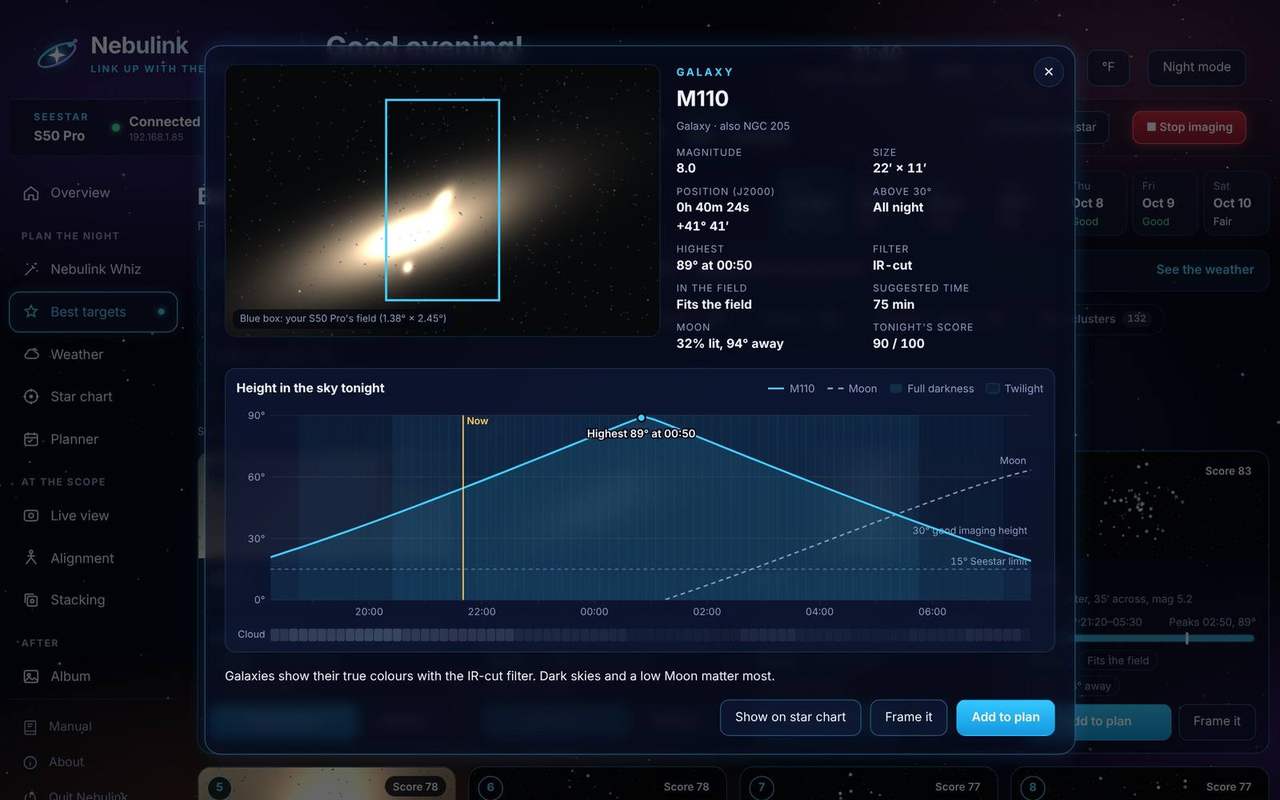
Click any target for its details: a larger survey photo with your scope's field of view on it, its size and brightness, and a chart of how high it climbs from dusk to dawn.
- Twilight, full darkness, the Moon and the cloud forecast on the same chart
- Hover to read the height, Moon and cloud at any time
- Add it to the plan, frame it or find it on the star chart
Comets, planets and the Moon
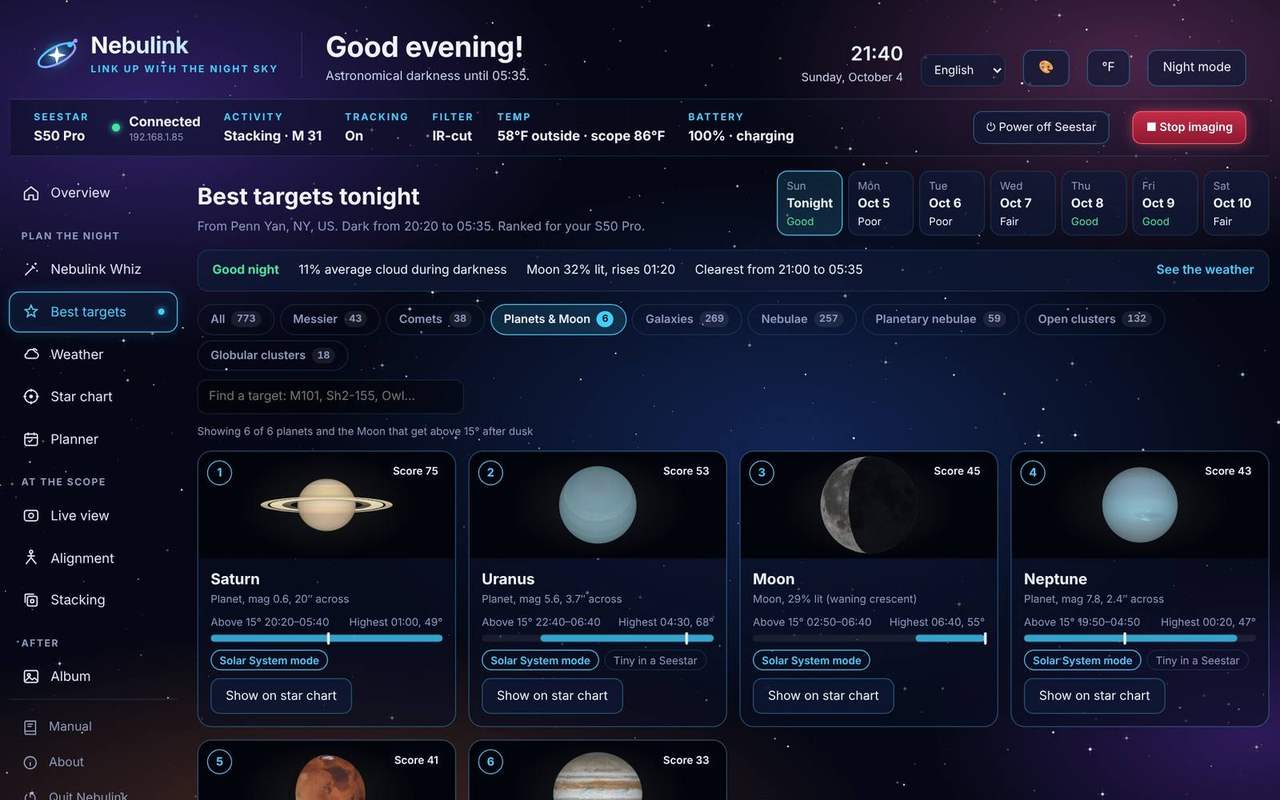
Nebulink keeps an up-to-date list of comets from the Minor Planet Center and shows the ones bright enough for your Seestar tonight, with where they are and how high they get. Add one to a plan and the scope follows it as it moves.
- Real pictures of the planets, lit the way you'd see them tonight
- Brightness, size and the Moon's phase, with the hours each is up
- Find any of them on the star chart in one click
Is it worth setting up?
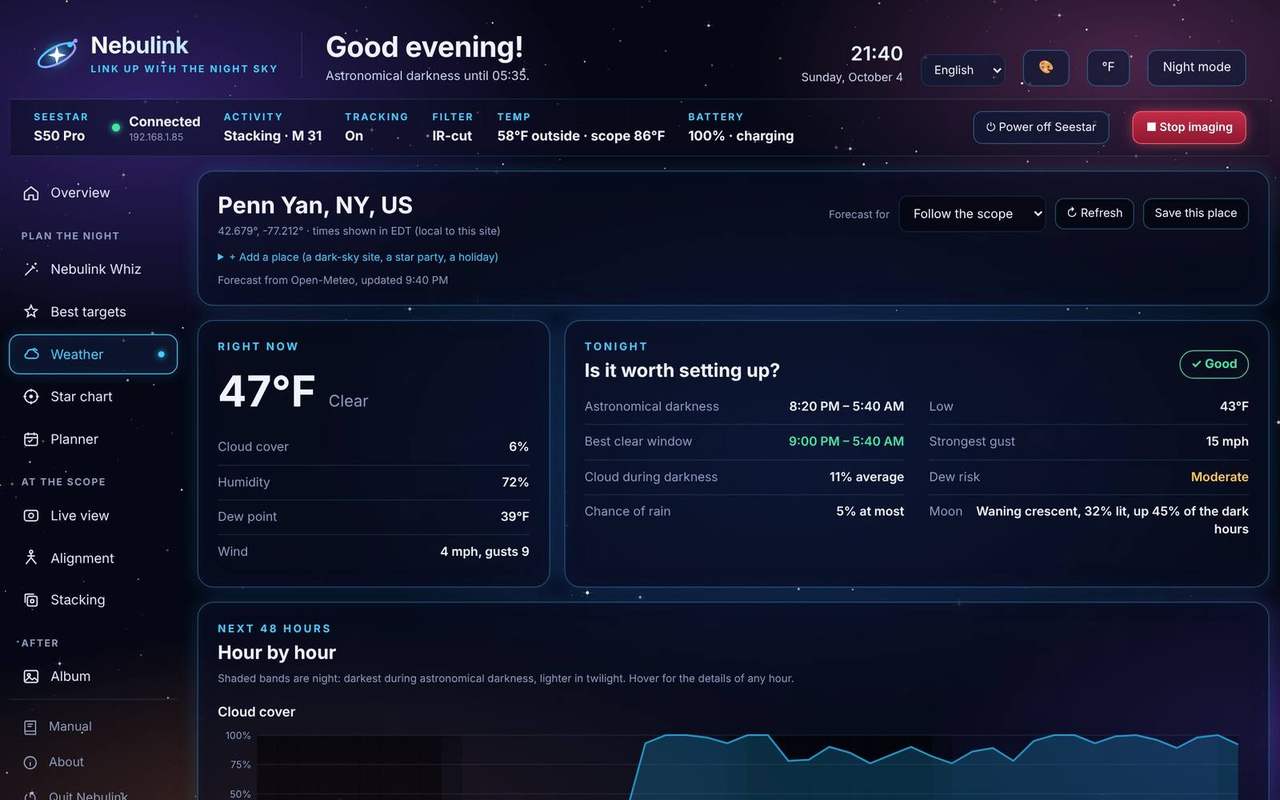
A forecast built for imaging, not for picnics. See cloud during darkness, the clearest window, dew risk and the Moon at a glance, then check the hourly charts and the week ahead.
- An hourly forecast for anywhere in the world, from MET Norway
- Follows your scope when you take it somewhere new
- Save dark-sky sites and star parties as places
- Times shown in the observing site's own time zone
Watch the weather come in
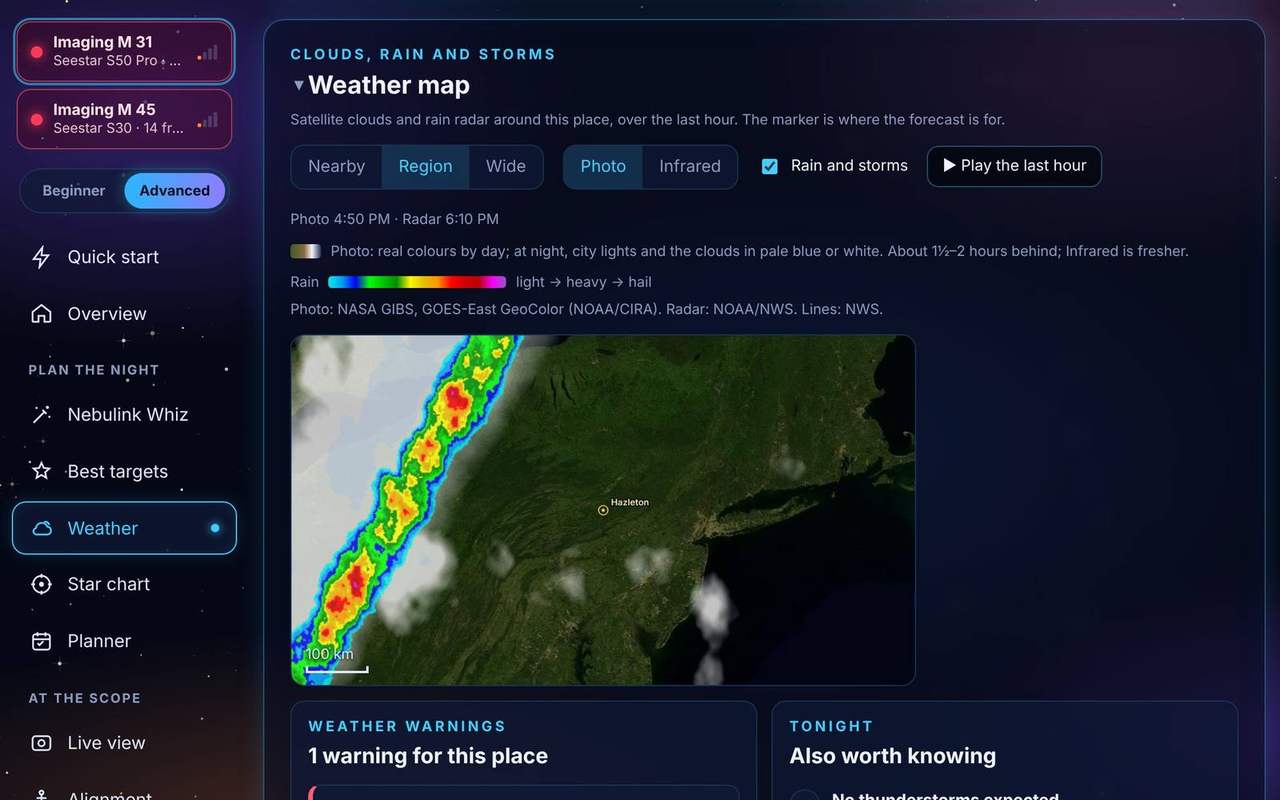
The real satellite photo and the rain radar around your observing place, with the last hour played back so you can see which way it's moving. Official weather warnings show on every page, and a severe one reaches your phone.
- Nearby, Region and Wide views, from about 250 to 1,550 miles across
- Photo: the real-color satellite picture over the Americas, with city lights and pale clouds at night, so fog and low cloud show too. Infrared: the cloud tops, fresher, and also over East Asia and Australia
- Radar from NOAA (the US, Canada, the Caribbean, Hawaii and Guam) and from the Deutscher Wetterdienst (Germany)
- Thunderstorms, fog, frost and wind for your dark hours, with what each means for the Seestar
- Warnings from the National Weather Service in the US and the Deutscher Wetterdienst in Germany
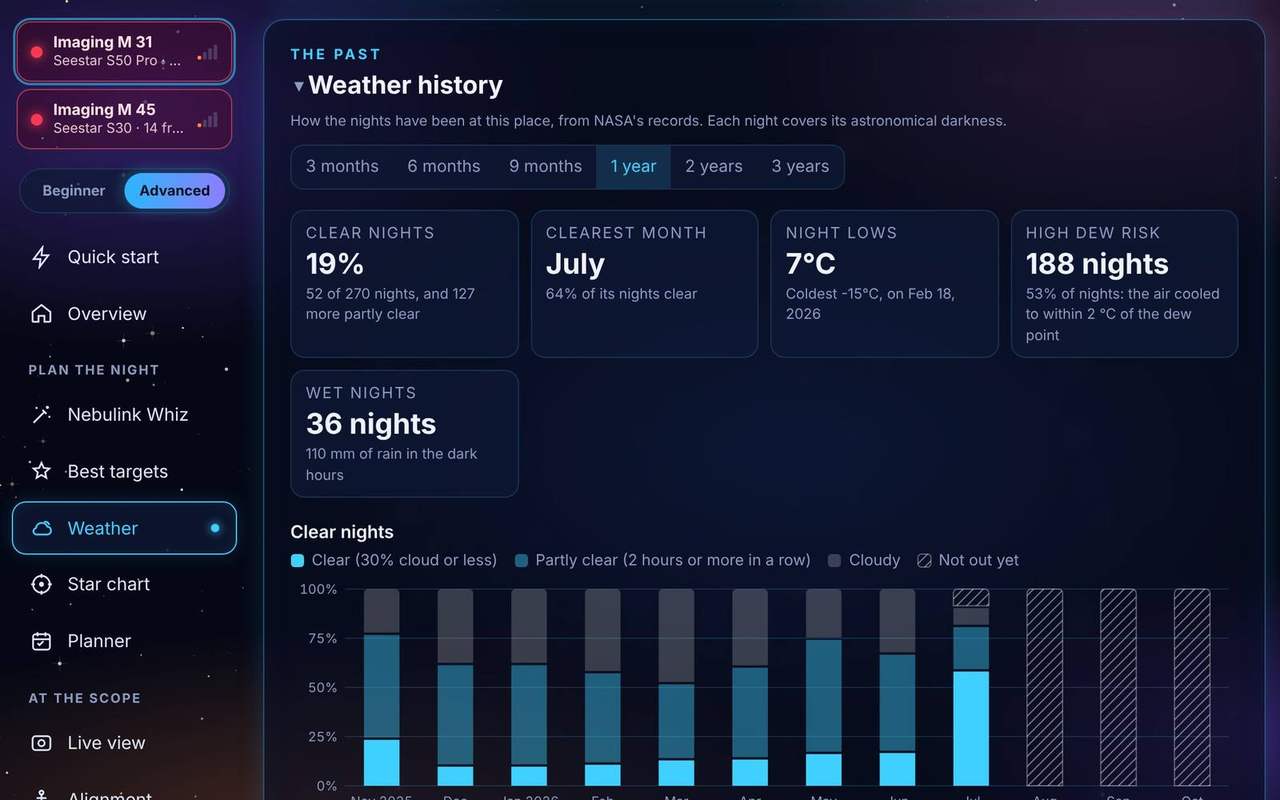
How have the nights been here?
Weather history shows how the nights have really been where you observe, from NASA's records: how many were clear, which month was clearest, how cold it got and how often dew and rain spoiled the night. Good for choosing a month for a trip, or for deciding whether a new site is worth the drive.
- The last 3, 6 or 9 months, or 1, 2 or 3 years
- Clear, partly clear and cloudy nights, counted over each night's darkness
- Night lows against the dew point, wind and rain at night
- Kept on your PC; NASA's cloud records run about 3 months behind, and the page shows where they stop
Messier, Caldwell and a Marathon
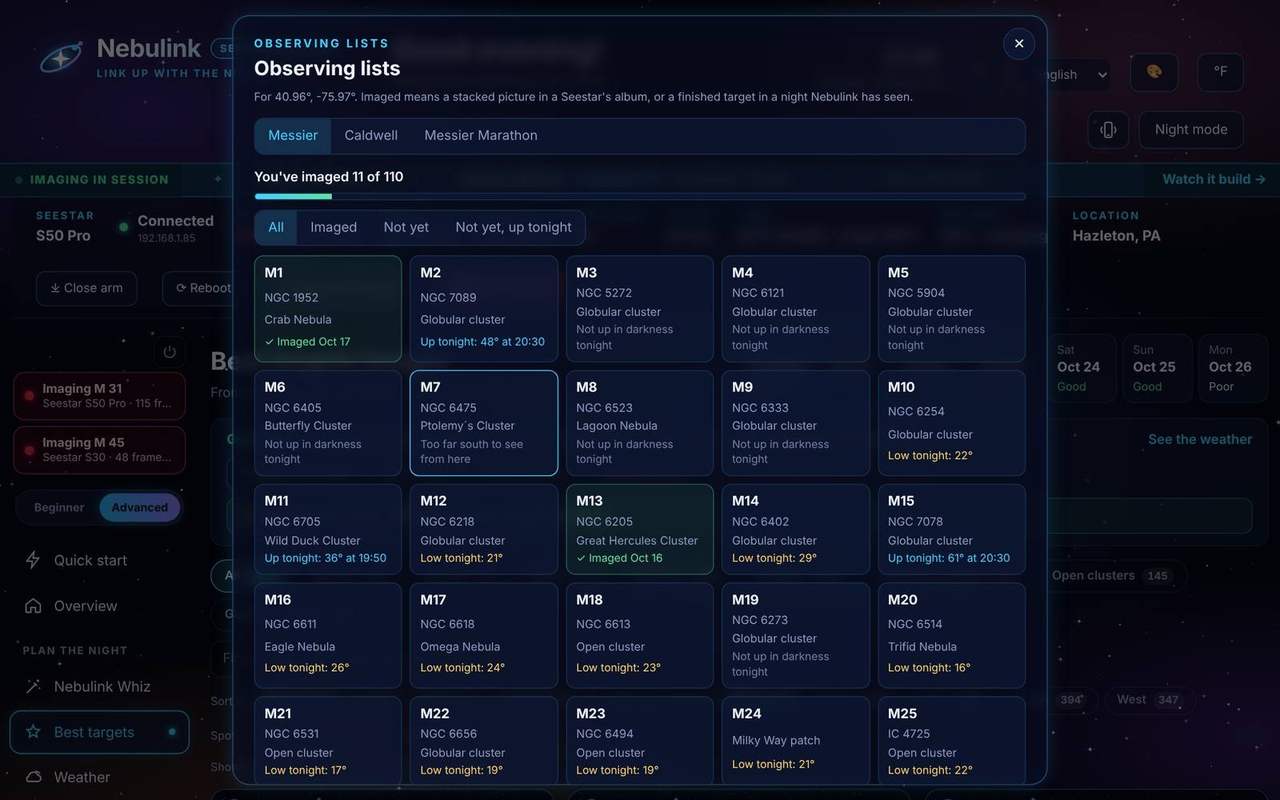
Keep track of the classics. Observing lists show every Messier and Caldwell object with what you've already imaged and what's up tonight, so you always know what's left.
- "Imaged" means a stacked picture in a Seestar's album, or a finished target in a night Nebulink has seen
- Filter by Imaged, Not yet, or Not yet and up tonight
- The Messier Marathon planner lines up all 110 in the order that catches each one before it sets, and makes it tonight's plan in one click
- Save the Marathon list as a CSV for a spreadsheet or a printout
When the ISS flies over
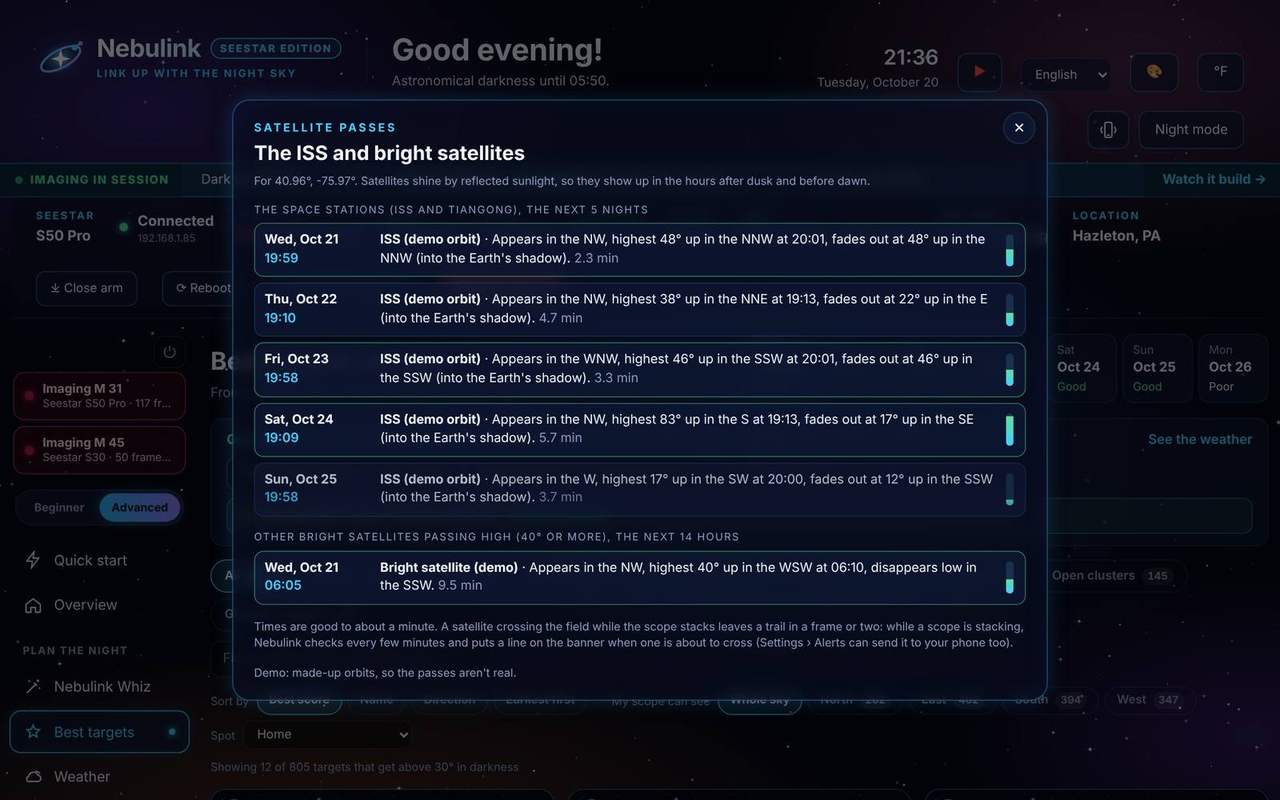
See when the ISS, Tiangong and the brightest satellites cross your sky over the next five nights, with where they appear and how high they climb. While a scope is stacking, Nebulink checks every few minutes and puts a line on the banner when one is about to cross its field.
- Times are good to about a minute
- Send the warning to your phone too, in Settings, Alerts
- Pair it with Satellite trails, which takes out the streaks that still get through
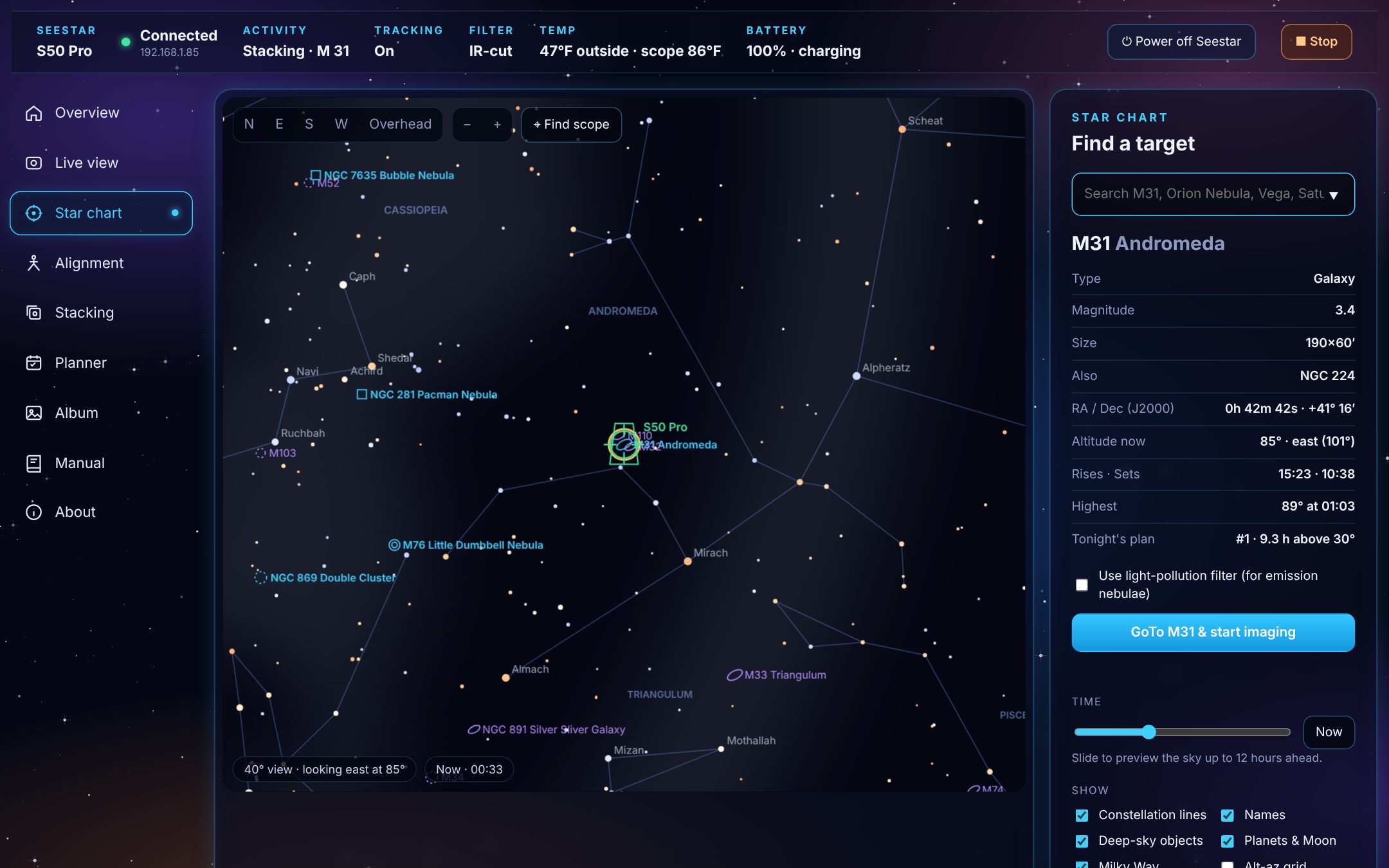
Point at anything on the chart
A real star chart of your sky right now, drawn from your scope's own location. Search for a target or click one, see when it rises and peaks, and send the scope there in one click.
- 5,000 stars, constellations, the Milky Way and about 1,600 deep-sky targets
- Planets, the Moon and tonight's comets in their true positions
- Your scope's field of view, live on the chart
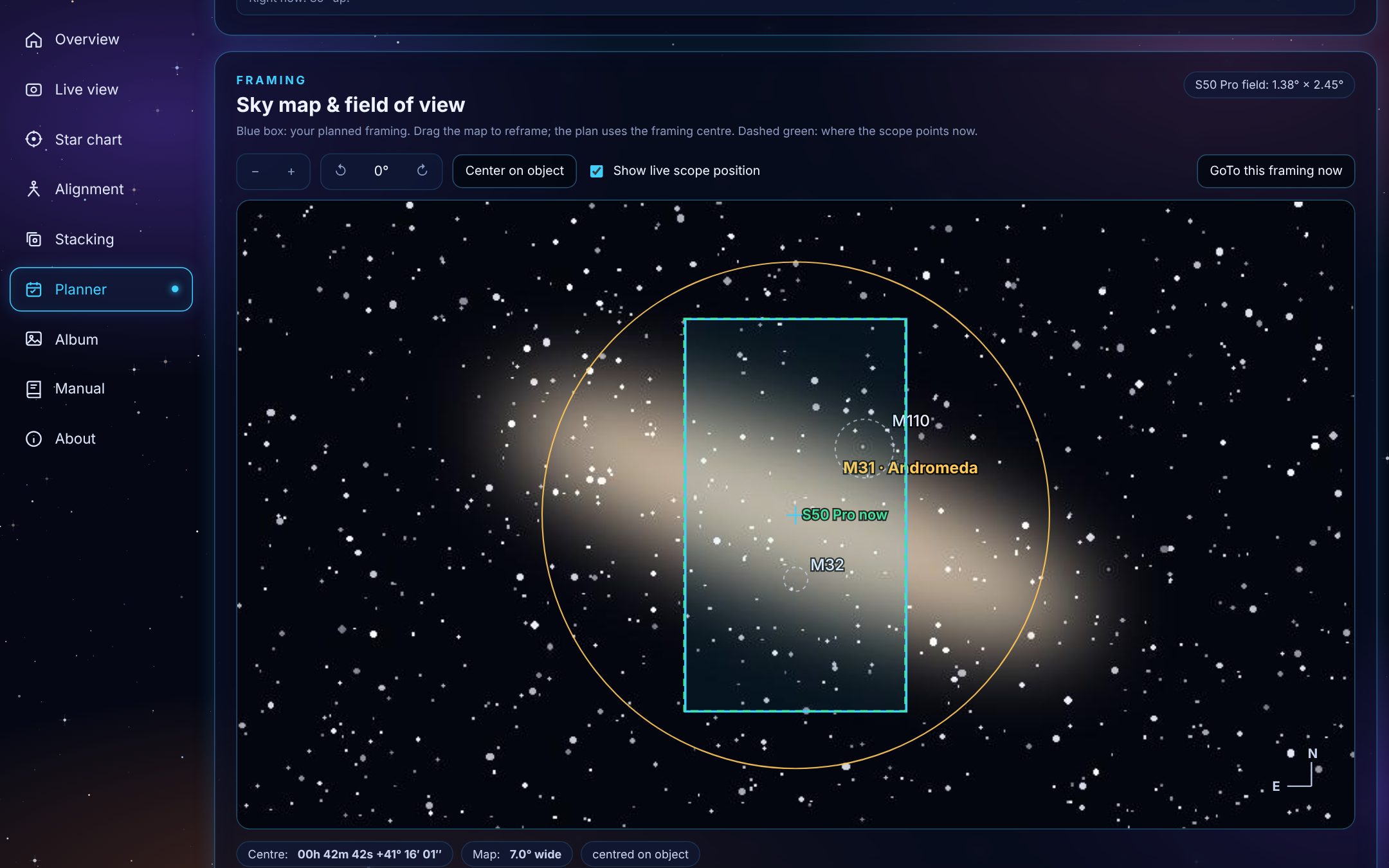
Frame it before you shoot
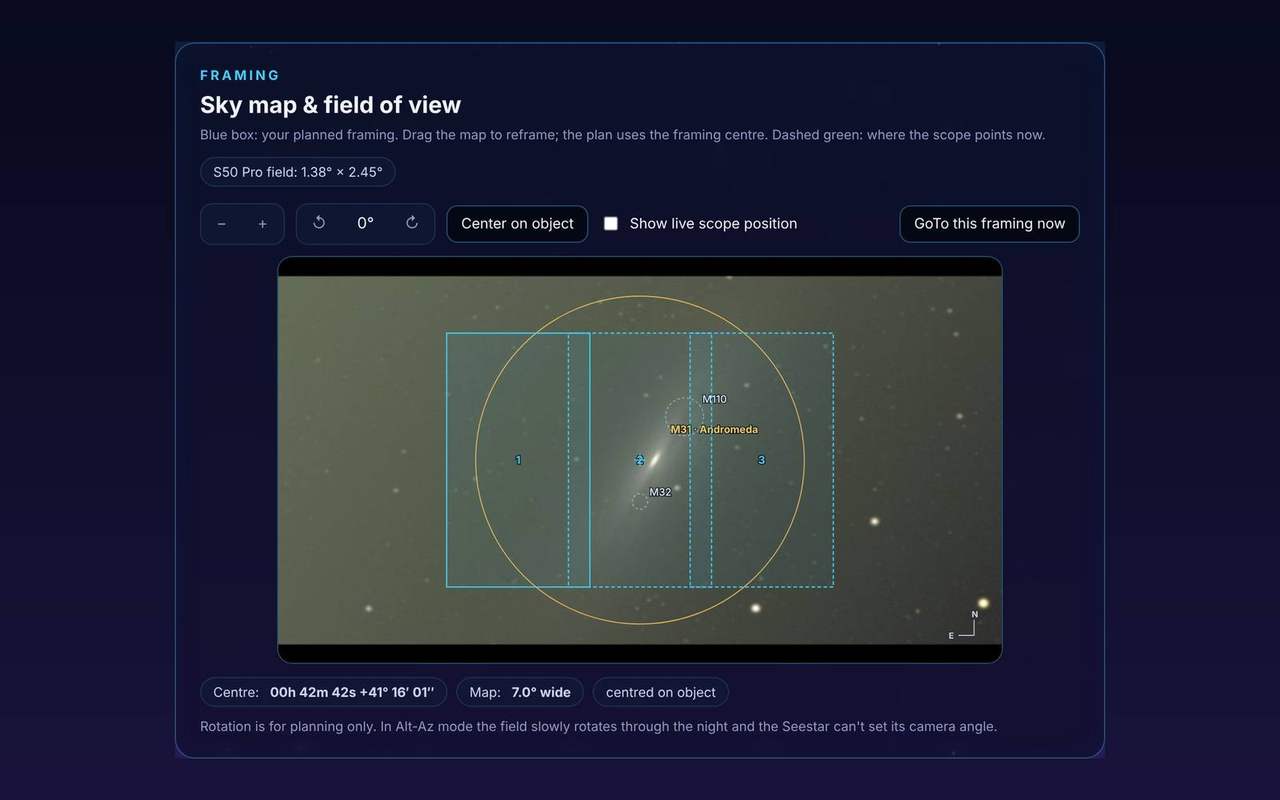
Check how a target fits your field of view on a real sky survey photo. Drag to reframe, and the plan points the scope at exactly that spot.
- Advice on filter, imaging time and moon distance
- Each target's time slot and altitude, with warnings when it's too low
- Runs unattended, stops at dawn, parks when done
- Clear the plan and start fresh in one click
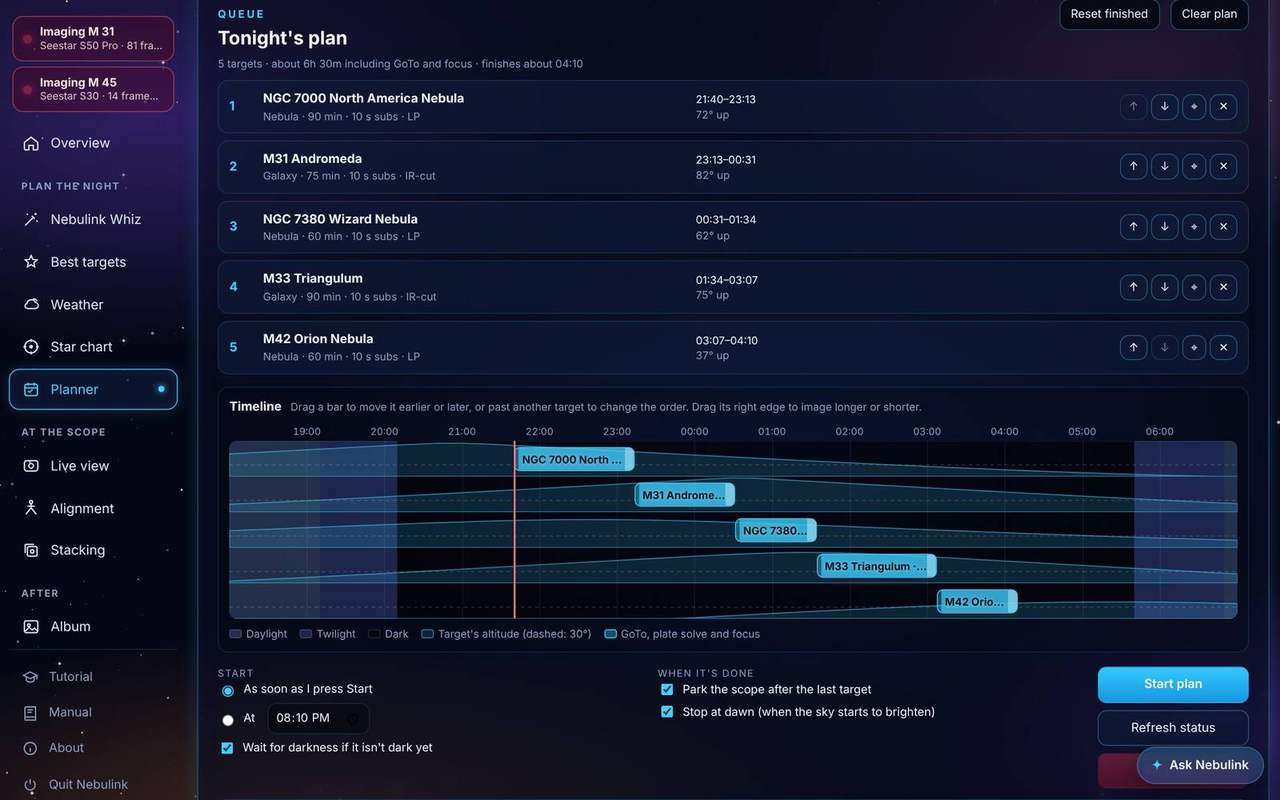
Drag your night into shape
The Planner has a timeline. Each target is a bar over the night's twilight and darkness, with its height in the sky drawn behind it.
- Drag a bar's edge to image a target longer or shorter
- Drag a bar past another to change the order
- Drag a bar later to make it wait, for a target to climb or the Moon to set
- Start exactly when you say, or let the plan wait for darkness
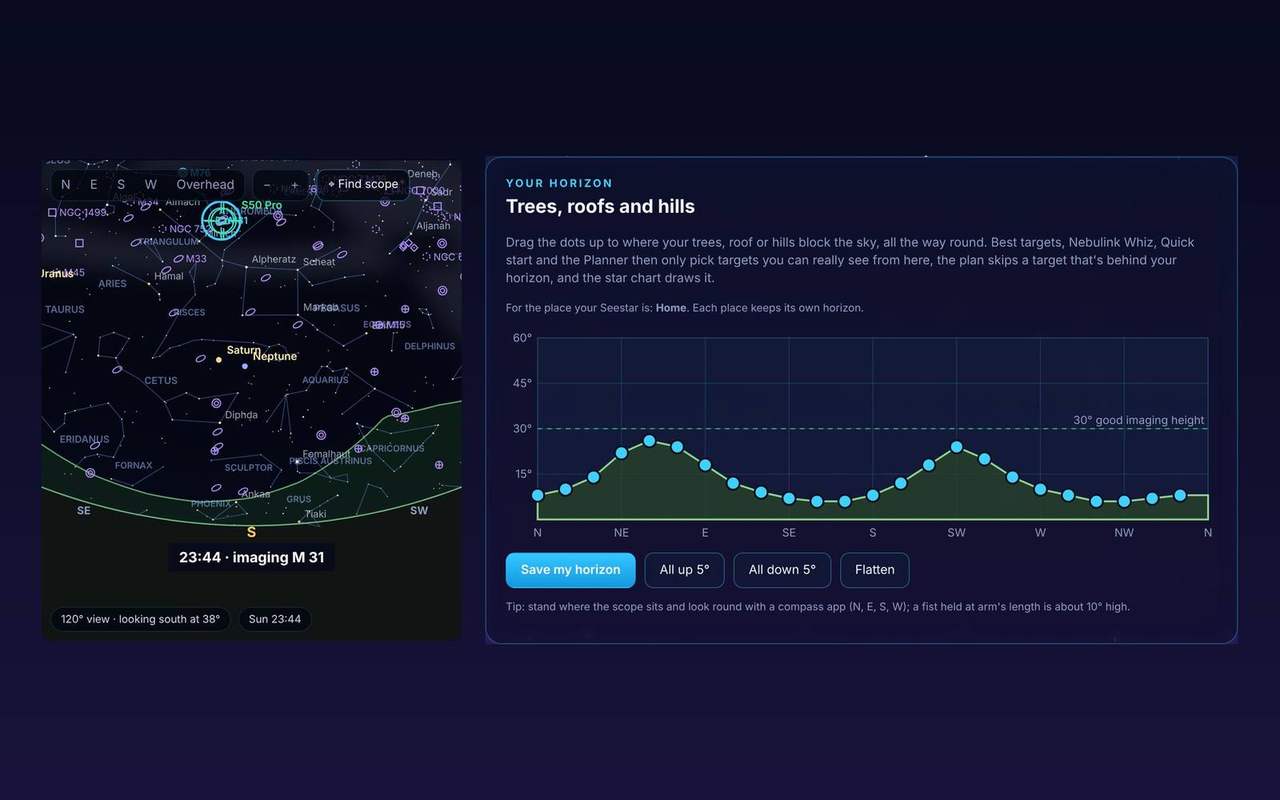
Your sky, your trees, your whole night
Draw your horizon once: drag the line up to your trees and roofs. The star chart shows them, and Nebulink only picks targets you can really see from your spot.
Not sure where your trees begin? Let the scope find out. The automatic horizon scan steps the Seestar round the sky and finds the height where stars start to show above the trees and roofs, about 20 minutes for the whole circle. It carries on while you use other pages, and picks up where it stopped if the Wi-Fi drops.
Play tonight runs the night from dusk to dawn in about 24 seconds, lighting up each target in your plan as its turn comes.
- Each observing place keeps its own horizon
- A plan skips a target while it's behind your trees
Bigger than the frame? Make it a mosaic
Pick 2 × 1 up to 3 × 3 panels in the Planner and the framing shows each one, overlapping a little. The plan images them one after another; each panel is its own stacked picture, ready to join in Siril or Microsoft ICE.
- The Andromeda Galaxy, the Veil, the North America Nebula
- The Planner suggests a size when a target won't fit
- Pause for clouds: when frames stop being kept, Nebulink waits 10 minutes and tries again
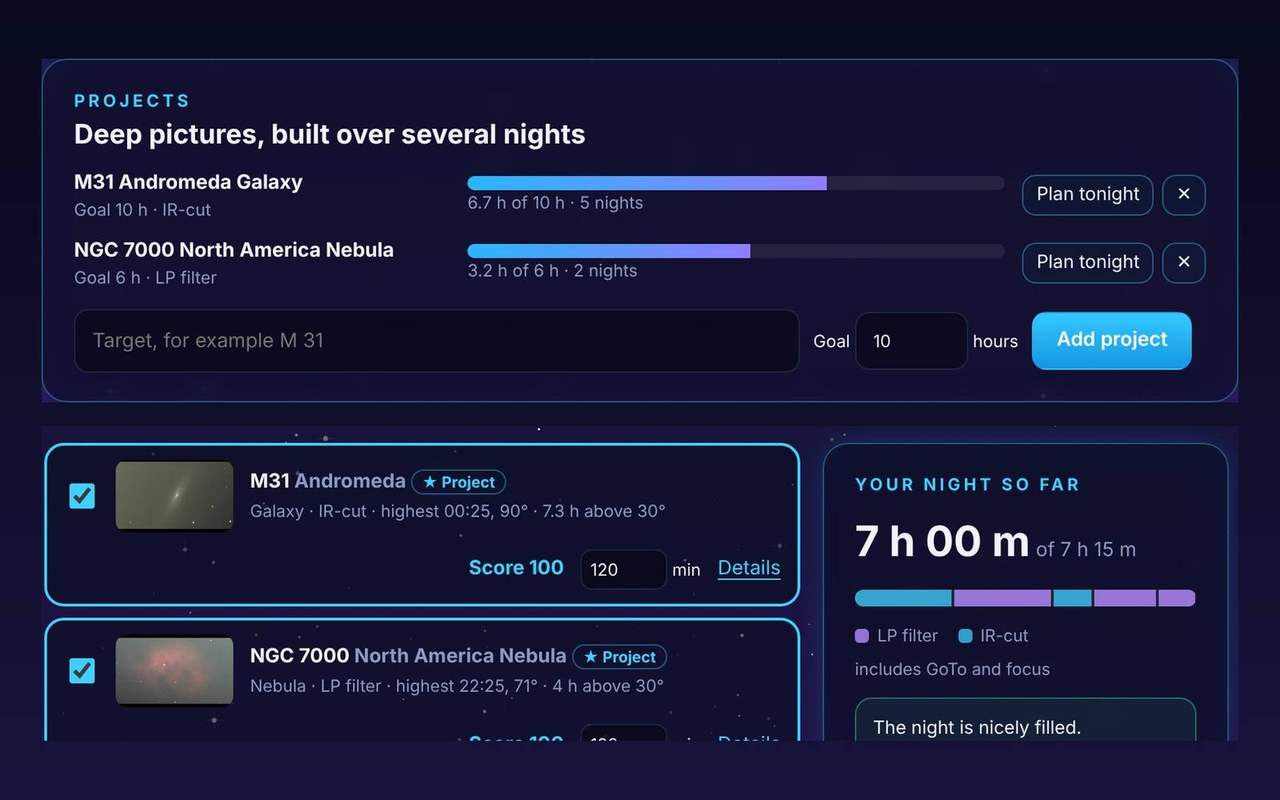
Deep pictures, built over several nights
Make a target a project with a goal, like 10 hours on the Andromeda Galaxy. Analytics adds up every night's time toward it, and Nebulink Whiz puts your projects first when it plans a night.
- A progress bar per project, across all your scopes
- Plan tonight frames it in the Planner
- Backup: one file with your scopes, places, plans, projects and history, for a new PC
Nebulink Whiz
Five quick steps to a whole night of imaging.
New to the Seestar, or just short on time? Nebulink Whiz is a wizard that plans the night for you. It knows the forecast, the Moon, your scope's field of view and where every target will be, so you only answer a few simple questions.
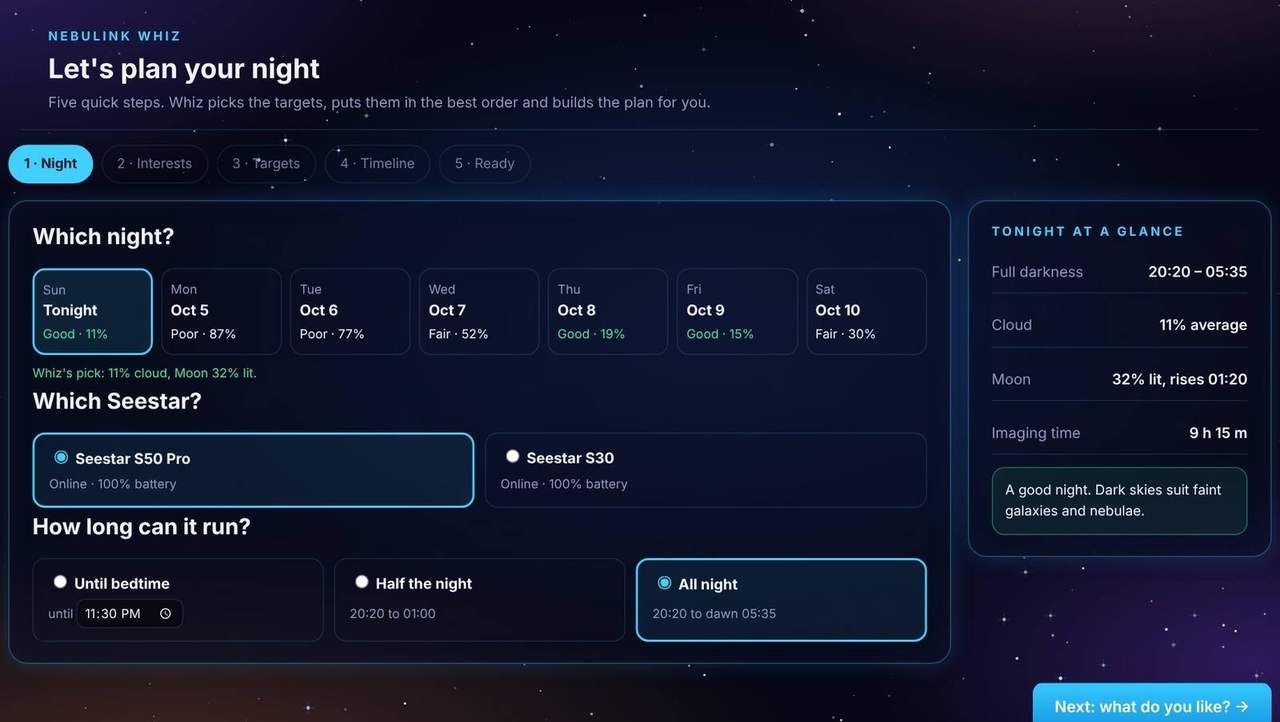
No guesswork about what's up, what fits or which filter to use. You can still change anything later on the Planner page. Try Whiz in the live demo →