Plan the night.Your Seestar works it.
Nebulink is a desktop companion for ZWO Seestar smart telescopes. Pick targets on a real star chart, frame them against your scope's field of view, and let a whole night of imaging run while you sleep.
For the Seestar S50 Pro and S30, on Windows.
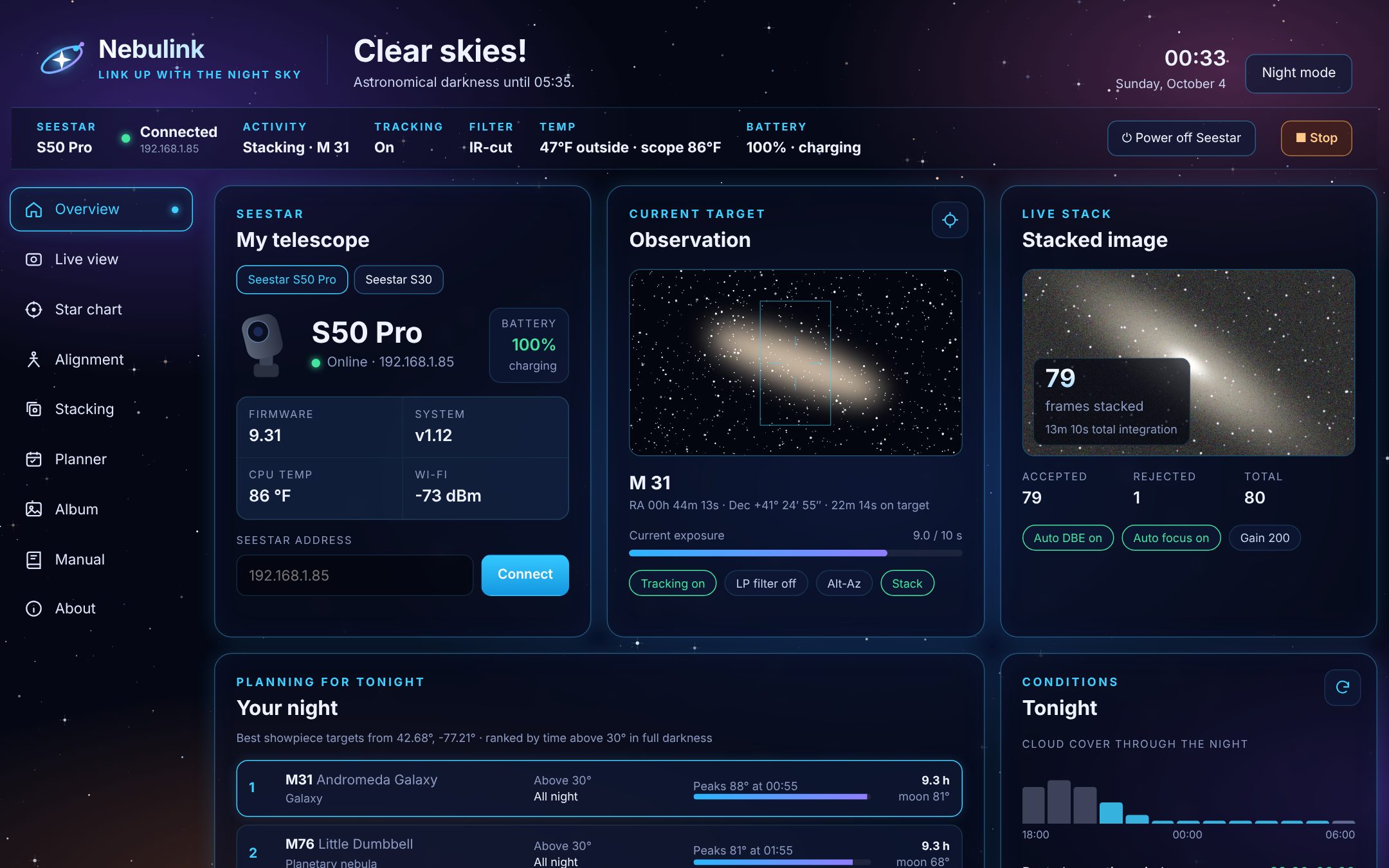
One clear night, five targets, no alarm clock.
You line up targets in the evening. Nebulink waits for full darkness, then works through the list: GoTo, plate solve, focus, stack, next. It skips anything too low, stops at dawn, and parks the scope before you're up.
Everything your Seestar can do, from your desk.
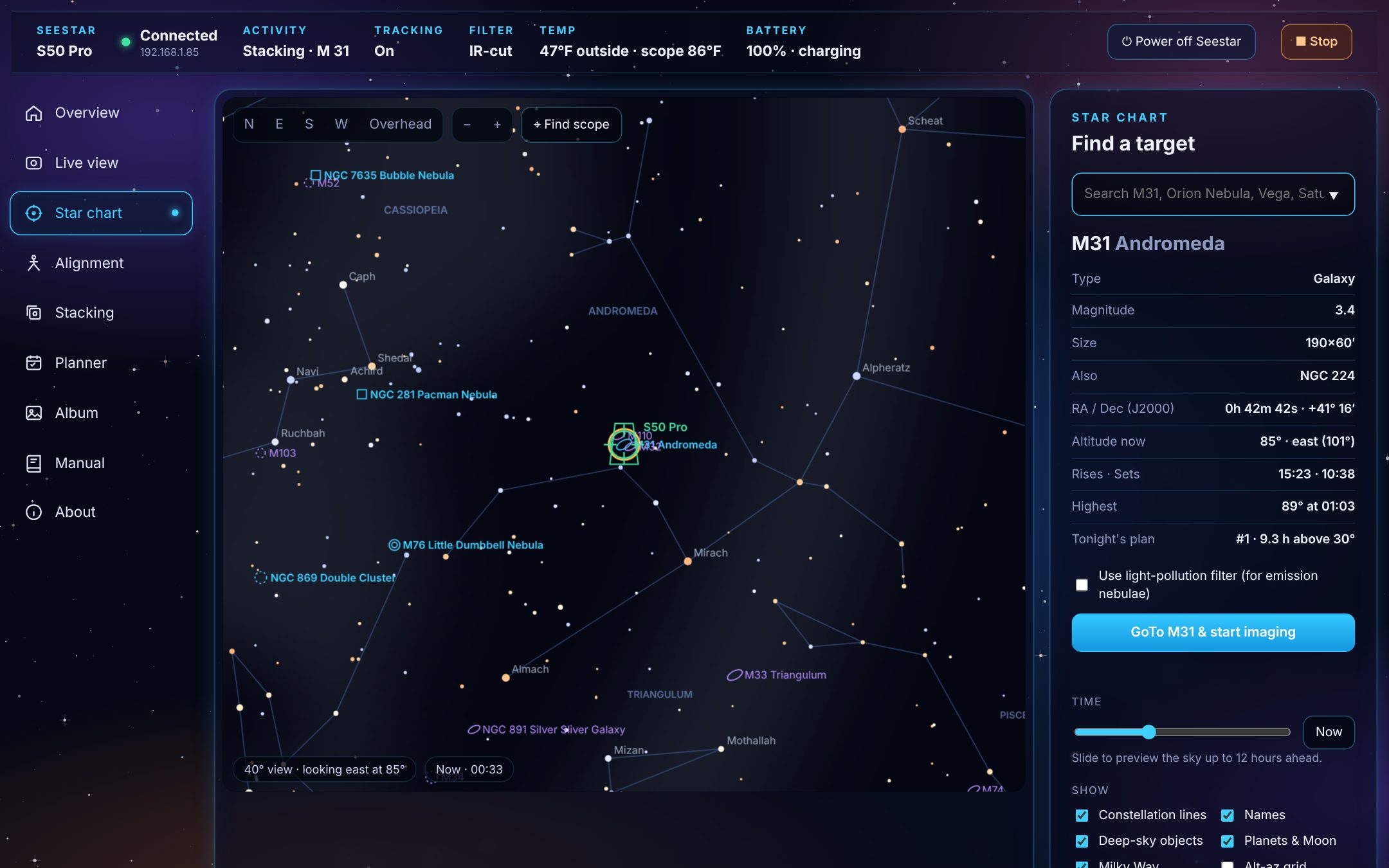
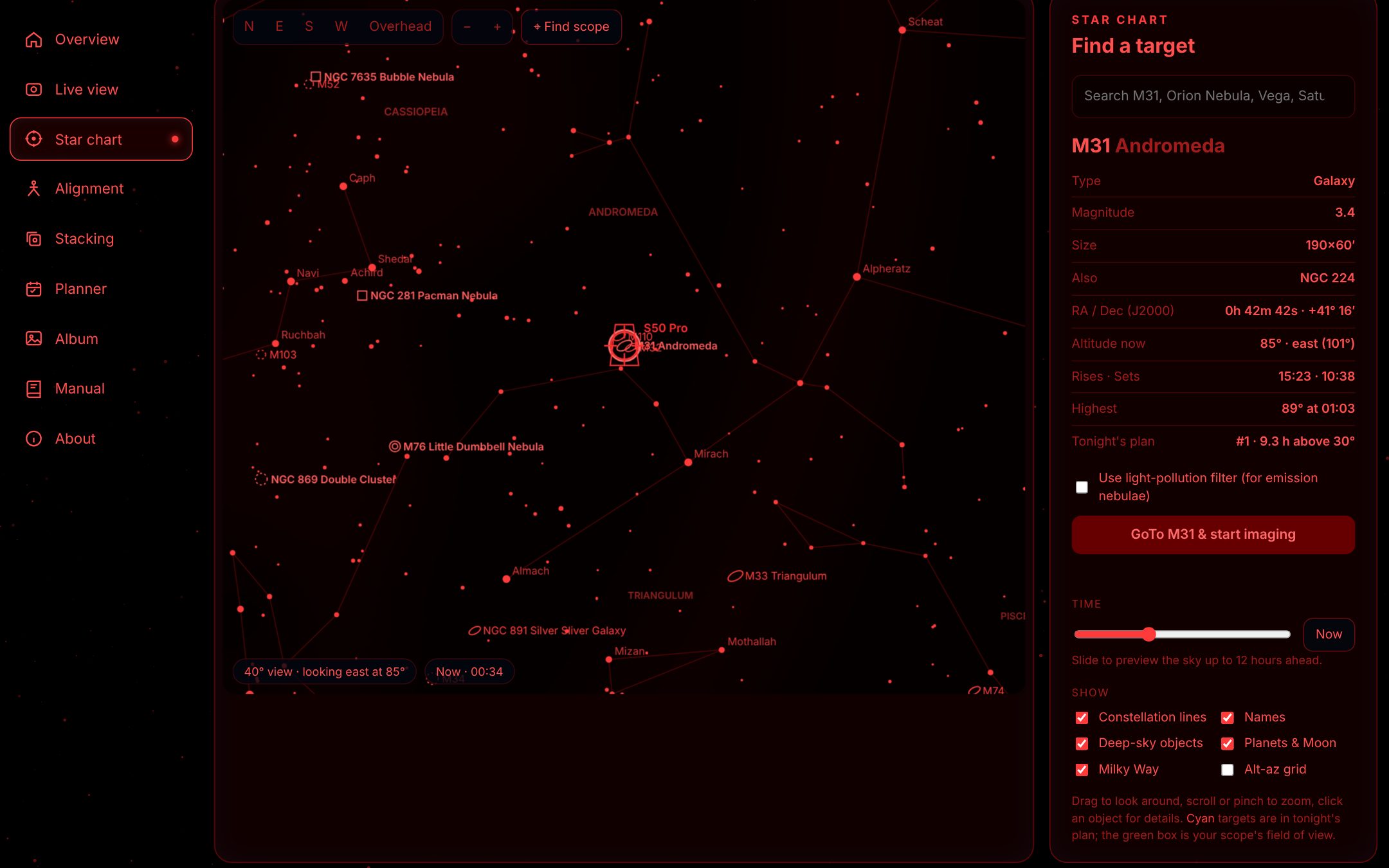
Point at anything on the chart
A real star chart of your sky right now, drawn from your scope's own location. Search for a target or click one, see when it rises and peaks, and send the scope there in one click.
- 5,000 stars, constellations, the Milky Way and 136 deep-sky targets
- Planets and the Moon in their true positions
- Your scope's field of view, live on the chart
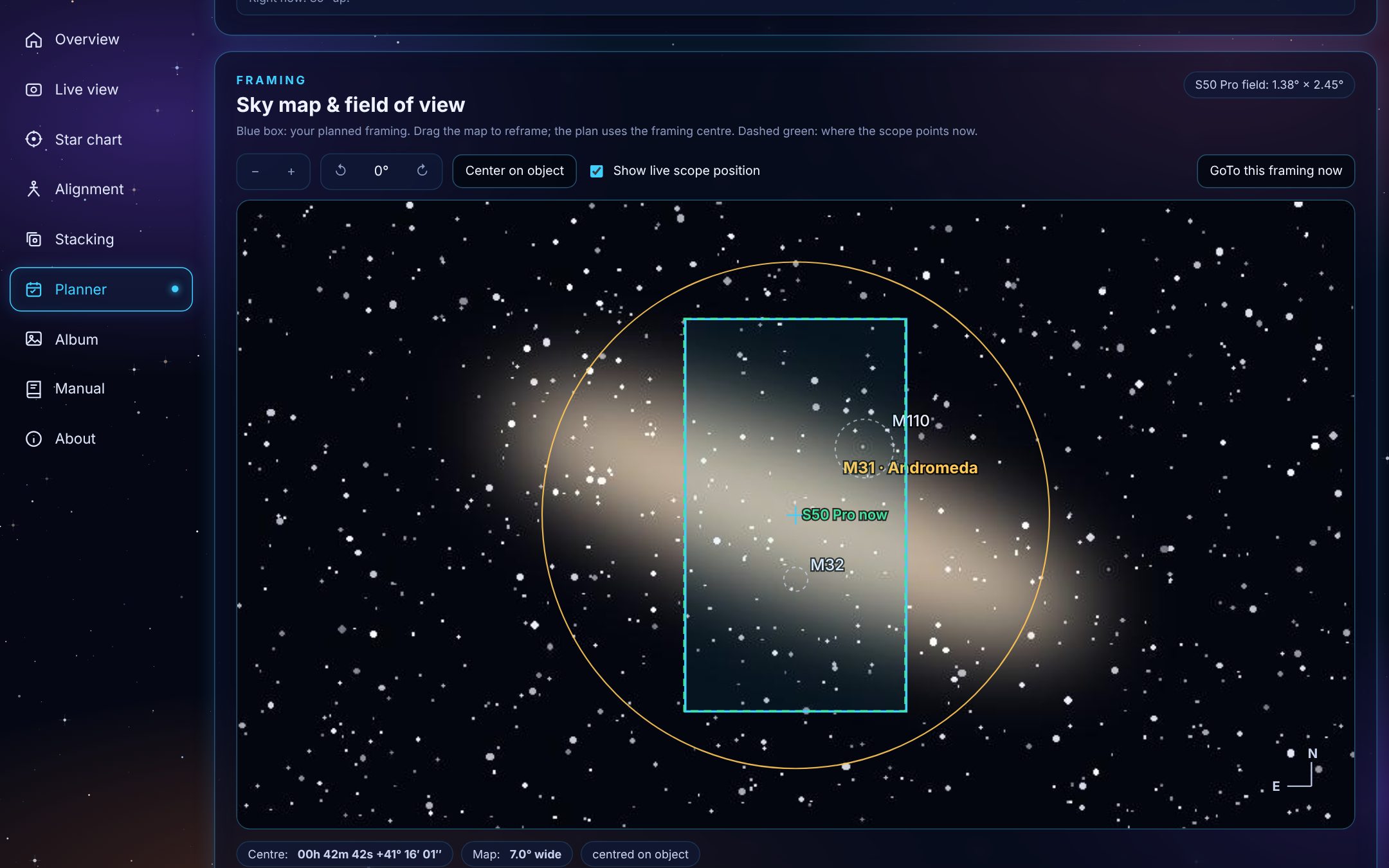
Frame it before you shoot
Check how a target fits your field of view on a real sky survey photo. Drag to reframe, and the plan points the scope at exactly that spot.
- Advice on filter, imaging time and moon distance
- Each target's time slot and altitude, with warnings when it's too low
- Runs unattended, stops at dawn, parks when done
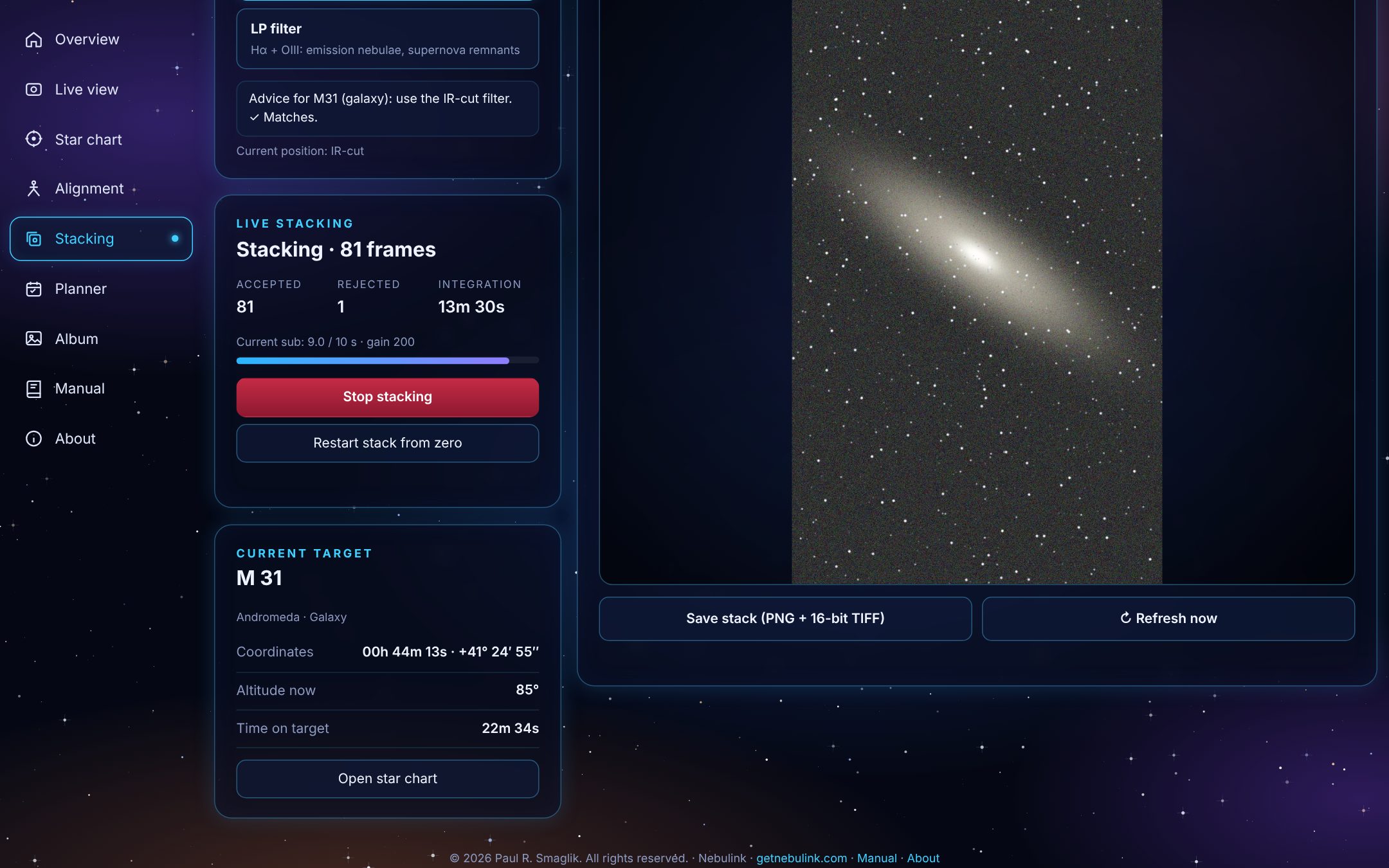
Watch the picture build
See the stacked image grow as frames come in, with the frame count and total exposure beside it. Switch filters, stop or restart the stack, and save the result as a PNG or a 16-bit TIFF ready for processing.
Red when it's dark
One click turns the whole app deep red, so a glance at your laptop at the eyepiece doesn't cost you your night vision.
Tonight at a glance
Hourly cloud cover, the best clear window, dew risk, darkness times and the moon, for your scope's location.
Level the tripod
A live level dial from the scope's tilt sensor, plus the numbers for setting up equatorial mode.
Live view and focus
Move the scope with a joystick or your arrow keys, autofocus, and record video.
Your album
Browse the scope's files from your PC, preview JPEG and FITS images, and download originals.
More than one scope
Connect several Seestars and switch between them. Each runs its own plan.
Safe by default
No GoTo to the Sun or below 15°, a confirmation before anything interrupts a stack, and a Stop button on every page.
What you need
- A ZWO Seestar S50 Pro or S30
- The scope joined to your home Wi-Fi (Station Mode in the Seestar app)
- A Windows PC on the same network
- Internet on the PC for the forecast and sky photos; everything else works offline
Setup takes about ten minutes. The manual walks you through it.
Nebulink is in early access
Pricing will be announced at launch. Join the early-access list to get the first release and help shape what comes next.
Tell us which Seestar you have. We'll only email you about Nebulink.
Questions
Is Nebulink made by ZWO?
No. Nebulink is an independent product that works with ZWO's Seestar telescopes. It isn't affiliated with or endorsed by ZWO.
Do I still need the Seestar app?
Yes, for setting up the scope, joining it to your Wi-Fi, firmware updates, and Solar System mode for the Sun, Moon and planets. Nebulink handles deep-sky nights from your PC.
Does my PC have to stay on during a plan?
Yes. The plan runs on your PC, so keep it on and Nebulink open. The screen can turn off, and Nebulink stops Windows from going to sleep while a plan runs.
What happens if the weather turns?
Nebulink follows the plan you set: it skips targets that are too low, stops at dawn and parks the scope. Check the hourly cloud forecast on the Overview page before you start, and bring the scope in if rain is due.
Does it work on a Mac?
Not yet. Nebulink runs on Windows today.
Can I use more than one Seestar?
Yes. Connect each scope by its network address and switch between them. Each one can run its own plan.